Published on: Tue 26-Aug-2025 03:41 PM
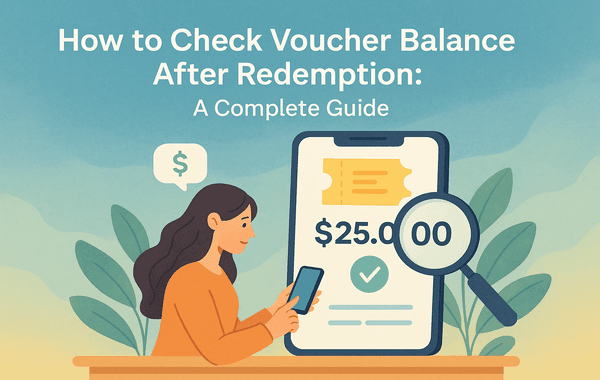
In today’s digital era, gift cards and vouchers have become one of the most popular ways to shop, save, and share value. Whether you’ve redeemed a gaming top-up voucher, an entertainment subscription card, or an online shopping gift card, the next question that often arises is: How do I check how much balance is left after redemption?
This guide will take you step by step through how to check voucher balance after redemption, explain the common methods available across platforms, highlight frequent mistakes users make, and share tips to maximise the value of your vouchers. If you frequently purchase vouchers or plan to buy in bulk for better discounts, platforms like Gyftwala offer a secure and convenient way to buy, redeem, and manage your balances with ease.
Many users underestimate the importance of tracking voucher balances. Whether it’s a gaming top-up, a Google Play card, or an entertainment gift card, not knowing your remaining balance can lead to:
In fact, studies show that nearly $3 billion in unused voucher and gift card balances expire every year globally because users forget to check or redeem them fully.
By learning how to check voucher balance after redemption, you ensure that every cent or credit is fully utilised.
Different platforms and retailers may have different systems, but most fall under these main methods:
Most vouchers can be verified directly through the official website. For instance, if you redeem a PlayStation, Google Play, or Steam voucher, you can log in to your account and view the remaining balance in your wallet.
Brands like Netflix, Spotify, and gaming platforms allow users to track voucher balances directly within their apps. After redemption, your balance syncs with the app wallet.
For example:
If the online method doesn’t work or if the balance update is delayed, you can reach out to customer support. Provide your voucher code, redemption ID, and registered email, and the support team can verify and share your balance.
In many cases, after redeeming a voucher, users receive a confirmation email showing the redeemed amount and the balance left. Keeping track of such emails can be a handy way to check your balance without logging into the app every time.
While trying to check voucher balances, many users fall into avoidable traps. Here are the most common:
To ensure you always make the most of your vouchers:
Q1: Can I check the voucher balance without redeeming it?
Yes, some platforms allow you to check the remaining value before redeeming, but in most cases, the full balance shows only after redemption.
Q2: How long does it take for the balance to reflect after redemption?
Usually, balances update instantly, but for some vouchers, it may take up to 24 hours.
Q3: Can I transfer my voucher balance to another account?
Generally, voucher balances are non-transferable once redeemed. Always redeem on the correct account.
Q4: What should I do if my redeemed balance doesn’t show?
First, refresh your account or app. If the issue persists, contact the platform’s customer support with proof of redemption.
When it comes to buying vouchers, checking balances, and redeeming without errors, Gyftwala is a trusted choice. The platform offers:
Instead of worrying about lost balances or scams, you can shop confidently on Gyftwala.com and manage your vouchers seamlessly.
Learning how to check voucher balance after redemption is essential to avoid losing value, track your spending, and maximise savings. Whether you’re using vouchers for games, shopping, or entertainment, keeping track of balances ensures you don’t miss out on what’s rightfully yours.
By following the steps above—using online portals, apps, or official customer support—you can easily monitor your redeemed balances. And for a secure, convenient, and reliable platform to buy or redeem vouchers, Gyftwala remains the go-to solution.
Don’t let your voucher balances go unused. Start tracking them today and make smarter purchases. Visit Gyftwala.com to buy, redeem, and check voucher balance after redemption with complete confidence.

Steam Wallet Code Discounts: 5 Proven Tricks and Hacks

Best Time to Buy Crunchyroll Gift Cards for Discounts

Is it Safe to Buy a Steam Gift Card?

How to Check Voucher Balance After Redemption: A Complete Guide

How to Use an Apple Gift Card for App Store, Music, iCloud, and More

Best Steam Games Under ₹500 You Can Get with a Gift Card

How to Gift an Apple Gift Card Globally Without Hassles

How to Set Up Razer Gold Wallet for First-Time Users

How to Redeem Crunchyroll Vouchers on Any Device Without Errors

How to Secure Your Razer Gold Transactions Online