brand-logo
  • Store
  • Blog
LoginSignup
brand-logoLoading Light/Dark Toggle
support@gyftwala.com
Raise a Ticket
Privacy PolicyCookie PolicyAML Policy
Disclaimer PolicyTerms and ConditionsGrievance Redressal Policy
Return & Cancellation PolicyShipping & Delivery Policy
Pay via
UPI
PhonePay
Paytm
Gpay
Visa
Master-Card
Net-Banking

© GyftWala 2026 - Made with Love in India

  1. Blog
    1. Crunchyroll Global Vouchers

How to Redeem Crunchyroll Vouchers on Any Device Without Errors

Share
1870

Published on: Thu 21-Aug-2025 06:53 PM
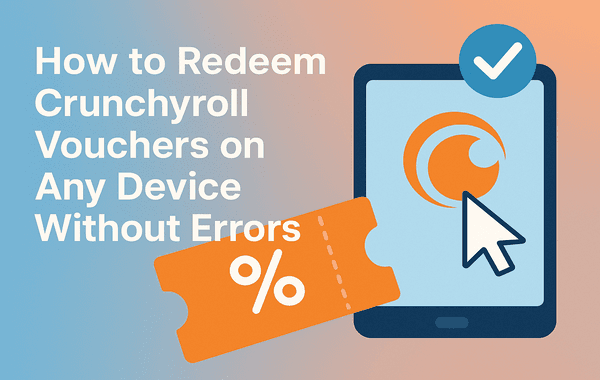
Redeem Crunchyroll Vouchers on Any Device Without Errors

If you’re an anime fan, chances are you’ve heard of Crunchyroll—the global hub for streaming thousands of anime titles, manga, and Asian dramas. But many users often struggle when trying to redeem Crunchyroll voucher codes across different devices, leading to frustrating errors and wasted time. Don’t worry—this guide will walk you through step-by-step instructions to redeem your voucher smoothly on any device, highlight common mistakes to avoid, and ensure you never run into issues again.

If you haven’t purchased your voucher yet, you can easily get one from Gyftwala’s store, where you’ll always find authentic Crunchyroll vouchers at the best prices.

Why Crunchyroll Vouchers Are Worth It

Crunchyroll vouchers are a convenient way to upgrade to premium without using a credit card. They’re perfect for gifting, bulk purchases, or enjoying discount offers. With over 13 million premium subscribers globally (Statista, 2024), the demand for hassle-free voucher redemption has only grown. Using vouchers also helps fans in regions where traditional payment methods are limited.

Some benefits include:

  • Unlocking unlimited ad-free anime streaming.
  • Access to same-day simulcasts directly from Japan.
  • Download options for offline viewing.
  • Flexibility to gift or bulk buy vouchers.

Step-by-Step Guide to Redeem Crunchyroll Voucher

Here’s a detailed breakdown of how to redeem a Crunchyroll voucher on different devices without running into errors:

1. Redeeming on Desktop (Windows/Mac)

  1. Open your browser and log in to Crunchyroll’s official site.
  2. Go to Premium Membership > Redeem Code.
  3. Enter your voucher code exactly as it appears (avoid extra spaces or typos).
  4. Click Submit.
  5. Your premium membership should activate instantly.

Pro tip: Always copy-paste your code directly from the email if purchased digitally from Gyftwala to avoid input errors.

2. Redeeming on Mobile (iOS/Android)

  1. Download the Crunchyroll app from the App Store or Google Play.
  2. Sign in with your account.
  3. Navigate to Account Settings > Redeem Code.
  4. Paste the voucher code and confirm.
  5. Restart the app to see your premium membership activated.

3. Redeeming on Smart TVs and Consoles

Devices like PlayStation, Xbox, or Smart TVs don’t always support direct voucher entry. Instead:

  1. Log in to your Crunchyroll account on a web browser (desktop/mobile).
  2. Redeem the voucher code as explained above.
  3. Once redeemed, your premium status syncs automatically across all connected devices.

Common Errors and How to Fix Them

Even when users follow the steps, some face issues while trying to redeem a Crunchyroll voucher. Here are the most common problems and solutions:

  • Invalid Code Error: Double-check spelling, avoid spaces, and ensure you’re using an active code.
  • Region Restrictions: Some vouchers are region-specific. Always buy from trusted platforms like Gyftwala that provide globally valid codes.
  • Already Used Code: A voucher can only be redeemed once. Avoid third-party resellers and always buy from official sources.
  • Account Sync Issues: Log out and log back in, or reinstall the Crunchyroll app if premium features don’t appear immediately.

Pro Tips to Avoid Redemption Issues

  • Always purchase from authorised sellers like Gyftwala to guarantee authenticity.
  • Redeem early: Some vouchers have expiration dates.
  • Check device updates: Ensure your Crunchyroll app is updated to the latest version.
  • Use a stable connection: Poor internet can cause session timeouts while redeeming.

Why Buy Crunchyroll Vouchers from Gyftwala?

Unlike random sellers, Gyftwala provides:

  • Instant digital delivery of voucher codes.
  • Globally valid vouchers (no region lock).
  • Exclusive discounts for bulk buy options.
  • Trusted platform with secure checkout.

This ensures you can purchase and redeem a Crunchyroll voucher without worries and enjoy uninterrupted anime streaming.

Final Thoughts

Redeeming a Crunchyroll voucher doesn’t have to be stressful. Whether you’re on desktop, mobile, or consoles, following the correct steps can help you avoid common errors and activate your premium membership instantly. By purchasing authentic vouchers from Gyftwala, you’re guaranteed a smooth and reliable experience every time.

Get Your Crunchyroll Voucher Today

Don’t let errors stop you from enjoying unlimited anime. Visit Gyftwala now to purchase authentic Crunchyroll vouchers at the best prices and redeem them instantly on any device. Upgrade your anime journey today!

Tag:Crunchyroll Global Vouchers
Share
1870

Trending

Google Play Gift Card USD is used for instant top ups in mobile games and apps on Android devices

Google Play Gift Card (USD) Benefits: Instant Top-Ups Across Multiple Apps & Games

User is purchasing Chamet Diamonds top up online to send live gifts and improve ranking on the Chamet app

Chamet Diamonds Top-Up Guide: Boost Your Live Gifts and Ranking

Honkai Star Rail top up screen showing UID entry secure UPI payment methods instant recharge process and premium in game rewards for Indian gamers

Honkai Star Rail Top-Up FAQ: Common Questions on UID and Payments India

Google Play USD gift card with price comparison and UPI discount offers showing mobile payment digital wallet balance and gaming app purchases

Google Play (USD) Gift Card Best Deals: Compare Prices with UPI Discounts

Guide on how to top up Poppo Live Coins in under 5 minutes instantly

Everything About Poppo Live Coins (Global) Top-Up Rates and Safe Methods

Steam Wallet Gift Card used for purchasing PC games and DLC showing gaming library digital wallet balance and instant access to premium content

Steam Wallet Gift Cards Benefits: Unlimited PC Games and DLC Access

Moba Legends epic skins unlocked using diamonds top up showing premium skins in game currency purchase and enhanced gameplay visuals

Unlock Epic Skins: Benefits of Moba Legends Diamonds Top-Up in 2026

Chamet Live diamonds purchase using UPI showing mobile payment interface and video call feature in the app

How To Purchase Chamet Live Diamonds for Video Calls Via UPI

Genshin Impact top up using secure vouchers showing character unlocks primogems purchase and fast gameplay progression

Genshin Impact Top-Up Benefits: Faster Progression with Secure Vouchers

Genshin Impact resin refill using top up showing in game currency purchase and farming rewards screen

How To Use Genshin Impact Top-Up for Resin Refills