brand-logo
  • Store
  • Blog
LoginSignup
brand-logoLoading Light/Dark Toggle
support@gyftwala.com
Raise a Ticket
Privacy PolicyCookie PolicyAML Policy
Disclaimer PolicyTerms and ConditionsGrievance Redressal Policy
Return & Cancellation PolicyShipping & Delivery Policy
Pay via
UPI
PhonePay
Paytm
Gpay
Visa
Master-Card
Net-Banking

© GyftWala 2025 - Made with Love in India

  1. Blog
    1. Razer Gold

How to Troubleshoot Common Razer Gold Redemption Issues

Share
213

Published on: Tue 30-Sep-2025 10:40 AM
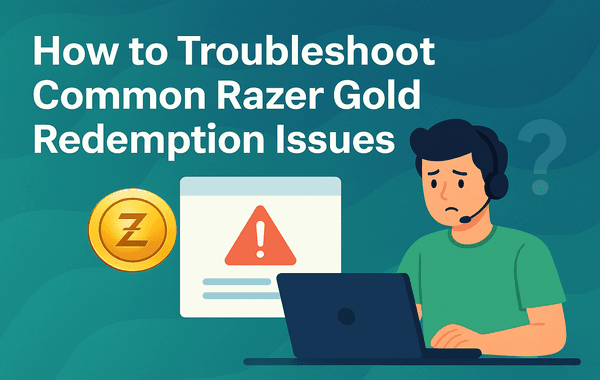
Troubleshoot Common Razer Gold Redemption Issues

Razer Gold is one of the most widely used virtual credit systems for gamers, supporting purchases across 42,000+ games and entertainment titles worldwide. But like any digital payment solution, users sometimes face errors during redemption. From invalid codes to regional restrictions, these issues can cause frustration if you don’t know how to fix them.

In this guide, we’ll walk you through the most common Razer Gold Redemption Issues and provide step-by-step troubleshooting tips so you can resolve them quickly. Whether you’re redeeming a single gift card or making a bulk purchase during a special offer, understanding these solutions ensures you never miss out on your favourite in-game content.

Looking to buy a Razer Gold Gift Card? Get them instantly and securely from Gyftwala with the best discounts and offers.

1. Invalid or Incorrect Razer Gold Code

One of the most frequent Razer Gold Redemption Issues occurs when users enter an invalid or incorrect code. This may happen due to:

  • Typing mistakes (wrong characters, extra spaces, or case sensitivity).
  • Damaged or unreadable printed codes.
  • Attempting to redeem already-used codes.

Fix:

  • Double-check the characters carefully—especially confusing ones like O (letter) vs 0 (number).
  • Copy-paste the digital code instead of typing it manually.
  • If the problem persists, verify the code’s authenticity with the official Razer Gold Support.

2. Region Restrictions

Razer Gold gift cards are often region-specific, meaning you cannot redeem a code meant for another country or region. For instance, a Razer Gold USD Global code works worldwide, but local codes (e.g., MYR, PHP, INR) are restricted.

Fix:

  • Always confirm the region of your account matches the card you purchased.
  • If you travel or use VPNs, ensure your account region settings are updated correctly.
  • For hassle-free redemption, buy global cards, which are not tied to a single country.

3. Razer PIN Not Working

Sometimes, the Razer PIN may fail to load due to a temporary server issue or system glitch. This typically affects users during peak top-up hours.

Fix:

  • Wait for 15–20 minutes and try again.
  • Clear your browser cache or switch to another browser.
  • If using the Razer Gold app, update to the latest version.

4. Account Not Eligible for Redemption

Users may also face Razer Gold Redemption Issues if their account has restrictions, such as:

  • Incomplete KYC verification.
  • Underage accounts with limited access.
  • Accounts flagged for suspicious activity.

Fix:

  • Complete all required verification steps in your Razer Gold account.
  • Ensure your profile information matches your payment details.
  • Contact Razer Gold support to unlock flagged accounts.

5. Payment Gateway Failures

At times, even after applying your Razer Gold PIN, the balance may not reflect due to a payment gateway issue. This is more common during discount events and bulk top-up purchases.

Fix:

  • Check your transaction history in your Razer account.
  • Verify if the payment was deducted from your bank or wallet.
  • If deducted but not credited, raise a ticket with proof of payment.

6. System & Network Errors

Users sometimes encounter messages like “Service Unavailable” or “Unable to Process at This Time.” These are usually server-side issues.

Fix:

  • Switch to a stable network (Wi-Fi instead of mobile data).
  • Retry redemption during non-peak hours.
  • If the issue continues, wait for an official update on Razer’s status page.

7. Expired Razer Gold Cards

Although rare, some Razer Gold cards may have an expiration date. Many users overlook this detail when purchasing discounted or bulk cards.

Fix:

  • Always check the terms and validity before purchase.
  • Buy only from authorised platforms like Gyftwala to ensure authenticity and long shelf life.

8. Security & Fraud Concerns

Another rising concern is fraudulent sellers offering cheap but invalid cards. Fake codes not only lead to failed redemption but may also put your account at risk.

Fix:

  • Purchase only from verified stores.
  • Avoid marketplaces that do not provide secure payment protection.
  • Choose trusted sellers like Gyftwala, which guarantees authentic, instant delivery of Razer Gold cards.

Pro Tips to Avoid Razer Gold Redemption Issues

  • Always redeem immediately after purchase to avoid misplacing or damaging codes.
  • Use global cards if you’re unsure about region restrictions.
  • Keep a screenshot or receipt of your purchase for faster resolution.
  • Monitor Razer Gold promo campaigns, where support response times are typically longer due to high traffic.

Why Choose Gyftwala for Your Razer Gold Gift Cards?

Gyftwala offers:

  • Instant delivery of Razer Gold codes.
  • Secure payments with no hidden fees.
  • Exclusive discounts on bulk purchases.
  • 24/7 availability for global users.

Buy now from Gyftwala and enjoy smooth, error-free redemption every time.

Troubleshoot Smarter, Redeem Faster with Gyftwala

Don’t let Razer Gold Redemption Issues stop your gaming journey. With the right fixes and trusted platforms, you can get back to enjoying your favourite titles without delay.

Head over to Gyftwala.com today to purchase authentic Razer Gold gift cards and top up your account seamlessly.

Tag:Buying Razer Gold Gift Cards
Share
213

Trending

Chamet diamonds top up

How to Top Up Chamet Diamonds Instantly Without Errors

Using Poppo Live Coins for gifting VIP access and private rooms effectively

How to Use Poppo Live Coins Effectively: Gifting, VIP, Private Rooms & More
Use Google Play Gift Cards for App Subscriptions

How to Use Google Play Gift Cards for YouTube Premium & Subscriptions

Nintendo 50 eShop voucher next to a shopping cart and coins

Ultimate Guide to Buying Nintendo eShop Vouchers From Trusted Sellers

Poppo recharge screen with wallet coins and a ghost character showing payment method change

How to Change Payment Methods During Poppo Recharge

How to Turn Roblox Gift Cards into Merchandise Deals 2025 Guide

How to Turn Roblox Gift Cards into Merchandise Deals

Stacking discounts for Poppo Live Coins across multiple platforms to save more in 2025

How to Stack Discounts for Poppo Live Coins on Multiple Platforms: The Ultimate 2025 Savings Guide
How to top up Nintendo eShop Wallet without regional restrictions step by step guide

How to Top Up Nintendo eShop Wallet Without Regional Restrictions

Phone screen with user icons and diamonds showing adding Chamet diamonds to multiple accounts

How to Add Chamet Diamonds to Multiple Accounts at Once

Google Play gift card with in game items like coins gems and a knight

In-Game Purchases Worth Redeeming Your Google Play Gift Card
