Published on: Tue 30-Sep-2025 10:35 AM
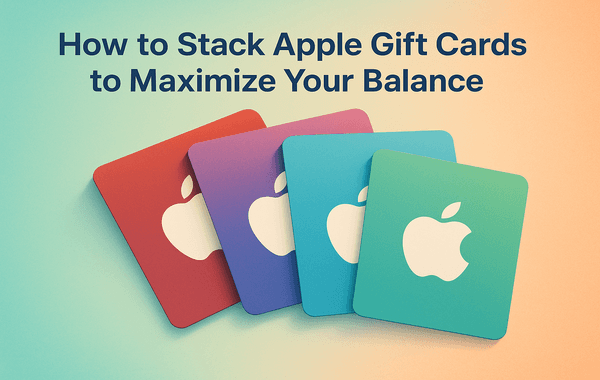
If you’re an Apple user, you already know how versatile Apple Gift Cards can be. From purchasing apps, games, and subscriptions to buying hardware like iPhones, iPads, or AirPods, these cards act as a flexible payment tool within the Apple ecosystem. But here’s a secret many users don’t fully leverage—you can stack Apple Gift Cards to maximise your balance and unlock greater value.
In this guide, we’ll break down how to stack Apple Gift Cards effectively, how many you can redeem, and smart strategies to get more out of your purchases. And if you’re looking for a secure platform to buy Apple Gift Cards instantly, check out Gyftwala — a trusted site offering fast delivery, multiple payment options, and exciting deals.
Apple Gift Cards are prepaid digital or physical vouchers that can be redeemed for:
Since 2020, Apple combined all its separate gift cards (iTunes, App Store, and Apple Store cards) into one Apple Gift Card, making it more flexible than ever.
Yes! You can redeem multiple Apple Gift Cards into a single Apple ID, effectively stacking them into one large balance. According to Apple’s official support, you can redeem up to $2,000 USD worth of Apple Gift Cards on your Apple ID at one time (limits may vary by country).
This means if you buy smaller denomination cards, you can combine them until you reach that maximum limit.
Stacking Apple Gift Cards provides several benefits:
Stacking Apple Gift Cards is simple. Here’s a detailed guide:
On iPhone, iPad, or Mac, open the App Store app.
Make sure you’re logged in with the Apple ID you want to add funds to.
You can either scan the code using your device’s camera or enter it manually.
Redeem additional cards one by one. Each redemption will add funds to your Apple ID balance.
After redeeming, go to your Apple ID balance section to confirm the total stacked amount.
Apple has some limitations on stacking:
So, while you can keep adding cards, the maximum stored balance is capped.
Stacking is just one part of the strategy. To really maximise your balance, follow these tips:
Many users make simple errors that reduce the effectiveness of stacking. Avoid these:
While Apple Gift Cards are available in many places, not every seller is reliable. Here’s why Gyftwala is a trusted choice:
When stacking multiple gift cards, trust and speed matter—Gyftwala delivers both.
Learning how to stack Apple Gift Cards is an essential trick for any Apple user looking to maximise value. Whether you’re saving for a big Apple purchase or just want hassle-free subscription payments, stacking gives you flexibility and rewards.
By following the steps above and avoiding common mistakes, you’ll never lose value. And remember—where you buy matters. With Gyftwala, you get instant codes, secure payments, and great deals to build your balance faster.
Ready to stack Apple Gift Cards and maximise your balance? Visit Gyftwala today for instant delivery, bulk-buy options, and secure purchases. Start stacking smart and make the most out of your Apple experience!

How to Top Up Chamet Diamonds Instantly Without Errors

How to Use Poppo Live Coins Effectively: Gifting, VIP, Private Rooms & More

How to Use Google Play Gift Cards for YouTube Premium & Subscriptions
Ultimate Guide to Buying Nintendo eShop Vouchers From Trusted Sellers

How to Change Payment Methods During Poppo Recharge

How to Turn Roblox Gift Cards into Merchandise Deals

How to Stack Discounts for Poppo Live Coins on Multiple Platforms: The Ultimate 2025 Savings Guide
How to Top Up Nintendo eShop Wallet Without Regional Restrictions

How to Add Chamet Diamonds to Multiple Accounts at Once

In-Game Purchases Worth Redeeming Your Google Play Gift Card
