Published on: Sat 18-Oct-2025 04:50 PM
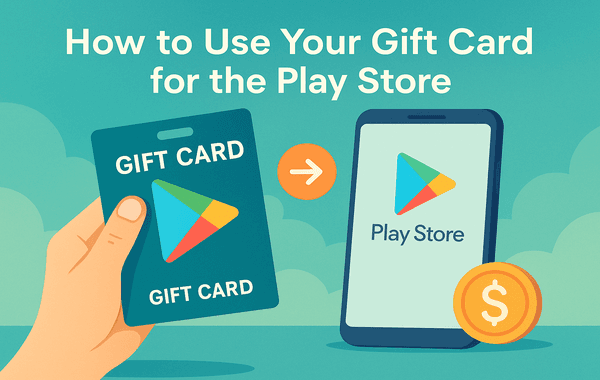
If you’ve ever wanted an easy, secure way to buy apps, games, movies, or subscriptions on Google Play without using a debit or credit card, then a Gift Card for the Play Store is your best option. Whether you received it as a gift or purchased one yourself from a trusted platform like Gyftwala, redeeming and using it is straightforward—and can even help you score exclusive discounts on your favourite digital content.
In this guide, we’ll walk you through everything—from redeeming your card to making the most out of every rupee—so you can start shopping instantly on Google Play.
Using a Gift Card for the Play Store offers several advantages:
In fact, Statista reported that global spending on app stores surpassed $170 billion in 2023, with a growing share driven by gift cards and prepaid balances. That means more people than ever are enjoying the convenience of gift card purchases.
Before you can use it, you need to buy it from a trusted source. Many users fall victim to scams by purchasing codes from unreliable marketplaces.
To avoid risk, use verified platforms like Gyftwala that:
Pro Tip: Bulk buy during promotions—you can get up to 10% extra value during certain sales periods.
Once you have your gift card code, here’s how to redeem it:
If you haven’t redeemed it yet, you can directly apply the gift card code at checkout for your purchase.
Once redeemed, the balance from your Gift Card for the Play Store can be used for:
Google’s own data shows that in-app purchases make up over 70% of Play Store revenue, making gift cards a top choice for gamers.
Even with a genuine Google Play Store Gift Card, you might face issues. If you encounter an invalid code when trying to redeem your Google Play Store Gift Card, it might be due to a typo or the code already being used. Always double-check each character carefully and contact the seller if the issue persists. A region error can occur if your card’s region doesn’t match your Google account’s country, so it’s best to purchase only region-specific or global cards. If the code has already been redeemed, it’s likely you bought it from an unreliable source—avoid this by always purchasing from trusted platforms like Gyftwala. In cases where your balance is not updating, it could simply be a delay in Google’s servers. Waiting a few minutes or restarting your device usually resolves the problem.
Why Buy from Gyftwala?
Gyftwala ensures every Gift Card for Play Store purchase is:
Using a Gift Card for the Play Store is one of the easiest and safest ways to shop for digital content on Google Play. You don’t need a bank card, your personal details remain secure, and you can grab special offers if you time your purchases right.
Whether you’re buying for yourself or gifting to someone else, a Play Store gift card from a trusted source like Gyftwala ensures smooth, instant access to your favourite apps, games, and subscriptions.
Don’t wait—top up your Google Play balance instantly and start exploring everything the Play Store has to offer.
Buy Your Gift Card for the Play Store on Gyftwala for instant delivery, secure payments, and unbeatable offers.

How to Top Up Chamet Diamonds Instantly Without Errors
How to Use Poppo Live Coins Effectively: Gifting, VIP, Private Rooms & More

How to Use Google Play Gift Cards for YouTube Premium & Subscriptions
Ultimate Guide to Buying Nintendo eShop Vouchers From Trusted Sellers

How to Change Payment Methods During Poppo Recharge

How to Turn Roblox Gift Cards into Merchandise Deals
How to Stack Discounts for Poppo Live Coins on Multiple Platforms: The Ultimate 2025 Savings Guide
How to Top Up Nintendo eShop Wallet Without Regional Restrictions

How to Add Chamet Diamonds to Multiple Accounts at Once

In-Game Purchases Worth Redeeming Your Google Play Gift Card
