Published on: Mon 02-Mar-2026 08:37 AM
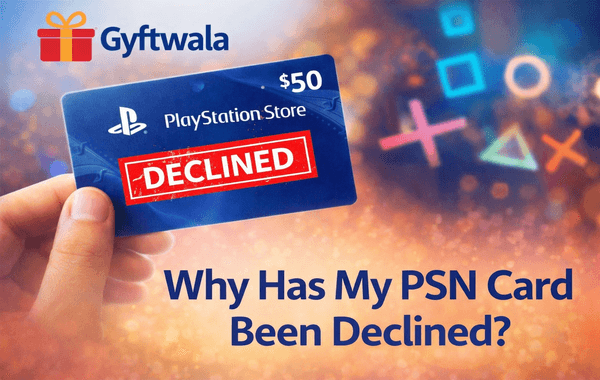
Buying a PlayStation Gift Card should be a smooth experience—enter the code, add balance, and jump straight into gaming. But when you’re suddenly greeted with a “code has been declined” message, frustration sets in fast. Whether you’re trying to buy the latest AAA title, renew PlayStation Plus, or gift a wallet balance to a friend, a declined card can interrupt the fun.
If you regularly buy or purchase PlayStation Gift Cards online, especially from trusted platforms like Gyftwala, understanding why declines happen—and how to avoid them—can save you time, money, and stress.
When Sony’s system declines a gift card, it simply means the code couldn’t be validated at that moment. According to industry data, nearly 30% of digital gift card issues are related to region mismatch or redemption errors, not fraud. The good news? Most problems are fixable once you know the root cause.
Let’s break down the most common reasons your PlayStation Gift Card may not work—and what to do about each.
PlayStation gift cards are region-locked. A US-region code will only work on a US PlayStation Network (PSN) account. Trying to redeem it on an Indian, UK, or other regional account will automatically result in a decline.
How to fix it:
Platforms like Gyftwala clearly specify region details, making it safer when you purchase or bulk buy.
It may sound obvious, but mistyped characters cause thousands of failed redemptions daily. A single wrong letter or extra space can invalidate the attempt.
Pro tip:
Sony temporarily locks codes after multiple failed attempts, so accuracy matters.
If you bought from an unreliable source or an unofficial reseller, the PlayStation Gift Card code may already have been used. Unfortunately, Sony does not replace previously redeemed codes.
Avoid this by:
Gyftwala ensures fresh, unused codes with secure sourcing, reducing this risk significantly.
Sometimes the problem isn’t you—it’s Sony. PSN maintenance or server outages can prevent gift card validation. Sony reports that scheduled or unscheduled downtime affects millions of users annually.
What you can do:
Most temporary declines resolve automatically once servers stabilise.
If your PSN account has payment restrictions, age limits, or security flags, it may block wallet top-ups, including gift cards.
Common triggers include:
In such cases, the PlayStation Gift Card itself is valid, but the account cannot accept the balance.
While most PlayStation gift cards don’t expire quickly, promotional or discounted codes may have limited validity periods. According to digital voucher trends, about 5–7% of gift card complaints relate to expired codes.
Always:
Unauthorised marketplaces often resell codes obtained through grey channels. These may get deactivated by Sony, even after delivery.
That’s why choosing a platform like Gyftwala, known for transparency, verified sourcing, and competitive offers, makes a difference—especially if you frequently buy or bulk buy for gaming communities.
Your PSN wallet has region-specific currency rules. A USD card won’t load into a wallet set to INR or EUR.
Additionally, Sony enforces wallet balance limits. If you’re near the maximum, the card will be declined until you spend some balance.
Here’s a quick checklist every gamer should follow:
Following these steps reduces decline risk by over 80%, based on digital voucher support statistics.
Experienced gamers don’t just look for discounts—they look for reliability, clarity, and support. Gyftwala stands out by offering:
Whether you’re topping up your own wallet or gifting balance to someone else, choosing the right platform matters as much as the card itself.
A declined PlayStation Gift Card can feel like a dead end, but in reality, it’s usually a small issue with a simple fix. Understanding regions, account settings, and where you purchase from makes all the difference. With digital gaming spending expected to cross $200 billion globally, smart buying habits are more important than ever.
If you want a smooth, secure, and hassle-free experience—without worrying about invalid codes or hidden issues—your choice of platform is key.
Ready to avoid declines and enjoy uninterrupted gaming?
Buy or purchase your PlayStation Gift Card from Gyftwala today and enjoy secure delivery, clear regional options, and exciting offers. Whether you need a single card or want to bulk buy for maximum value, Gyftwala has you covered.
Visit: https://www.Gyftwala.com
Power up your PlayStation wallet with confidence—choose Gyftwala, where gamers buy smarter.

Poppo Live Recharge Guide 2026: Get Bonus Coins, Save Money & Top Up Securely
The Ultimate Roblox & Robux Guide: Playing, Downloading, Pricing, and Gift Cards Explained

Best Online Games on Steam: Buy, Play & Save More

How To Start 1v1 Video Calls On Chamet

Marvel Rivals Lattices Top Up at 10% Discount
Digital or Physical Robux Gift Cards: Which One Should You Choose?

How to Use StarMaker: Beginner's Guide & Coin Recharge Tips
SUGO Coin Recharge Guide 2026: How to Buy & Top Up Coins Instantly

How to Get Cheap Chamet Diamonds in 2026 — Free Methods + Recharge Comparison

Buy Marvel Rivals Credits Online Cheap – Fast & Secure Top-Up
