Published on: Sat 29-Nov-2025 07:30 AM
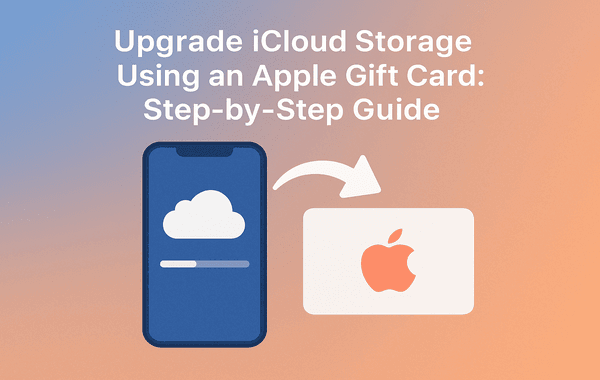
Running out of iCloud storage is one of the most common frustrations for iPhone, iPad, and Mac users. Whether you take thousands of photos, store important documents, or rely on iCloud for backups, upgrading your storage becomes essential. Fortunately, there’s a simple, secure, and budget-friendly way to expand your iCloud space—using an Apple Gift Card. With trusted platforms like Gyftwala, users can easily buy and redeem Apple Gift Cards instantly, making the upgrade process smoother than ever.
In this guide, you’ll discover how to purchase, redeem, and use an Apple Gift Card to upgrade your iCloud plan safely and efficiently. This step-by-step tutorial covers everything current top-ranking articles often miss—from proper balance allocation to avoiding billing issues—so that you can enjoy uninterrupted storage without hassle.
Apple offers only 5GB of free iCloud storage, which fills up extremely fast. According to Apple’s global user data, over 68% of iPhone users receive “Storage Almost Full” notifications within the first year of use. That’s because backups, photos, videos, app data, and documents constantly consume space in the background.
Upgrading your plan provides:
Using an Apple Gift Card to pay for these plans gives you greater flexibility, better control over spending, and eliminates the need for saved payment methods.
While many users rely on traditional payment methods, an Apple Gift Card offers several advantages, especially if you prefer secure and prepaid transactions.
Not all users wish to keep their bank card linked to Apple ID. An Apple Gift Card lets you upgrade without sharing personal financial details.
The Apple Gift Card is versatile—it can be used for:
Platforms like Gyftwala provide instant digital delivery, safe purchase options, and regular discounts—perfect for users who want flexibility.
With a prepaid balance, you decide how much to spend. No surprise charges, no accidental upgrades.
Before upgrading, evaluate your iCloud usage. Apple offers three primary plans:
According to industry estimates, the average user stores approximately 13GB of photos and videos annually—so choosing the right plan prevents future storage issues.
Buying an Apple Gift Card from a trusted platform is essential to avoid invalid codes or redemption errors. Gyftwala offers a reliable experience with:
Buy here: https://www.gyftwala.com/product/buy-apple-gift-card-usd-online
When you buy your Apple Gift Card from Gyftwala, you also ensure that the code is valid, unused, and redeemable instantly in your Apple ID wallet.
To upgrade your iCloud storage, you must first redeem the Apple Gift Card to your Apple ID balance. Here’s how to do it:
On your iPhone, iPad, or Mac, open the App Store using your registered Apple ID.
Located at the top right of the screen.
This option lets you manually enter or scan the code.
Type the gift card code provided by Gyftwala or use the device camera to scan.
Once redeemed, the amount is added to your Apple ID balance instantly.
Your Apple ID balance can now be used to upgrade your iCloud storage plan.
After redeeming your Apple Gift Card successfully, follow these steps:
Open Settings → tap on your Apple ID at the top.
This shows your current usage and available storage.
Depending on your iOS version.
You’ll see all available storage plans.
Choose 50GB, 200GB, or 2TB based on your requirement.
If your balance covers the subscription amount, Apple will automatically deduct from your Apple Gift Card balance before charging any other payment method.
Many users face billing errors when trying to upgrade using an Apple Gift Card. Here’s what competing articles often miss—and what you must know:
If your iCloud plan costs $2.99/month, make sure your balance exceeds $3.00.
If your region has restrictions, ensure your Apple ID region matches the card currency.
If you’re the organiser of Family Sharing, your balance is used for all purchases first.
Apple’s security may flag unusual activity, causing delays in applying the credits.
Ensure your Apple ID has active 2FA for seamless transactions.
To ensure your subscription continues smoothly:
This helps prevent interruptions in your upgraded iCloud plan.
Yes! Apple allows users to redeem multiple cards into the same Apple ID. The balance stacks automatically, which is perfect if you want to:
If your Apple ID balance becomes insufficient:
To avoid this, periodically top up your balance with Apple Gift Cards from Gyftwala.
Ready to upgrade your iCloud storage without using credit or debit cards? The easiest and safest way is to purchase your Apple Gift Card from Gyftwala, redeem it instantly, and enjoy uninterrupted storage on all your Apple devices.
Buy now and experience fast delivery, secure transactions, and exclusive offers available only on Gyftwala.com.
👉 Get your Apple Gift Card today: https://www.gyftwala.com/product/buy-apple-gift-card-usd-online
👉 Explore more digital gift cards: https://www.gyftwala.com

Poppo Live Recharge Guide 2026: Get Bonus Coins, Save Money & Top Up Securely
The Ultimate Roblox & Robux Guide: Playing, Downloading, Pricing, and Gift Cards Explained

Best Online Games on Steam: Buy, Play & Save More

How To Start 1v1 Video Calls On Chamet

Marvel Rivals Lattices Top Up at 10% Discount
Digital or Physical Robux Gift Cards: Which One Should You Choose?
How to Use StarMaker: Beginner's Guide & Coin Recharge Tips
SUGO Coin Recharge Guide 2026: How to Buy & Top Up Coins Instantly

How to Get Cheap Chamet Diamonds in 2026 — Free Methods + Recharge Comparison

Buy Marvel Rivals Credits Online Cheap – Fast & Secure Top-Up
