brand-logo
  • Store
  • Blog
LoginSignup
brand-logoLoading Light/Dark Toggle
support@gyftwala.com
Raise a Ticket
Privacy PolicyCookie PolicyAML Policy
Disclaimer PolicyTerms and ConditionsGrievance Redressal Policy
Return & Cancellation PolicyShipping & Delivery Policy
Pay via
UPI
PhonePay
Paytm
Gpay
Visa
Master-Card
Net-Banking

© GyftWala 2026 - Made with Love in India

  1. Blog
    1. Razer Gold

How to Transfer Razer Gold Balance Between Accounts

Share
580

Published on: Thu 09-Oct-2025 04:49 PM
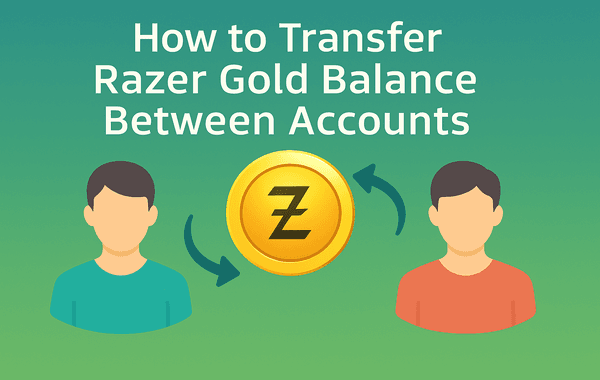
Transfer Razer Gold Balance Between Accounts

In the world of digital gaming and online entertainment, Razer Gold has become a go-to solution for seamless transactions. From topping up in-game credits to purchasing digital content, it’s a secure and flexible platform that caters to millions of gamers globally. But what happens if you need to transfer your Razer Gold balance from one account to another? Whether it’s for sharing credits with a friend or managing multiple accounts, knowing the correct procedure is essential to avoid errors or potential loss. If you’re ready to explore the safest and most efficient ways to transfer Razer Gold, you can start by checking out Gyftwala, a trusted platform to purchase and manage your Razer Gold balance.

Understanding Razer Gold and Its Benefits

Razer Gold is a virtual credit system designed for gamers to simplify payments for games, in-game items, and digital content. Unlike conventional payment methods, Razer Gold offers benefits such as:

  • Global usability: Works across thousands of games and platforms.
  • Discounts and offers: Regular promotions on bulk purchases or special top-ups.
  • Security: Reduces the need to share sensitive banking details online.

According to Razer’s 2024 report, over 15 million users worldwide rely on Razer Gold for their digital transactions, highlighting its popularity among gamers of all ages.

Why Transfer Razer Gold Between Accounts?

There are several scenarios where transferring your Razer Gold balance becomes necessary:

  1. Sharing credits with friends or family: Suppose you have extra Razer Gold that you won’t use immediately—transferring it to a friend’s account allows them to enjoy the games you love.
  2. Managing multiple accounts: Many gamers maintain separate accounts for different regions or game preferences. Transferring balances ensures each account has sufficient credits without needing to purchase multiple times.
  3. Redeeming promotions and discounts: Sometimes, promotions or rewards are tied to specific accounts. Transferring balance ensures you can maximise these benefits across all your accounts.

Step-by-Step Guide to Transfer Razer Gold Balance

While Razer Gold doesn’t allow direct peer-to-peer transfers in all regions, there are safe and effective methods to achieve the same result. Here’s how:

1. Using Razer Gold PINs

One of the easiest ways to transfer balance is via Razer Gold PINs:

  • Log in to your Razer Gold account on the Gyftwala platform.
  • Purchase a Razer Gold PIN for the desired amount.
  • Share the PIN securely with the recipient account.
  • The recipient redeems the PIN in their account, effectively transferring the balance.

This method is secure, instantaneous, and avoids complications related to account restrictions.

2. Gift or Purchase Codes

Certain regions allow gifting or using purchase codes for Razer Gold:

  • Log in to your Razer Gold account and select the gift or top-up code option.
  • Enter the recipient’s email or account details.
  • The recipient receives the credits instantly, which can be used immediately.

Always verify the code’s region compatibility to prevent errors.

3. Bulk Buy for Multiple Accounts

For gamers managing multiple accounts, bulk purchasing is an efficient strategy:

  • Use a platform like Gyftwala to buy multiple Razer Gold PINs at once.
  • Allocate each PIN to the respective account based on need.
  • This not only saves time but often unlocks exclusive offers and discounts when buying in bulk.

Bulk buying is ideal for streamlining balance management across multiple accounts, especially during promotional periods.

Common Issues and How to Avoid Them

Even experienced users sometimes face challenges while transferring Razer Gold balance. Here’s a quick overview of common issues:

  1. Invalid PIN Error: Occurs due to mistyped or previously redeemed PINs. Always double-check the code before submission.
  2. Region Restrictions: A PIN purchased in one region may not be redeemable in another. Always purchase region-specific Razer Gold cards.
  3. Delayed Balance Update: Occasionally, the balance may take a few minutes to reflect. Logging out and back in often resolves this.
  4. Payment Declined During Bulk Purchase: Ensure your payment method has sufficient funds, or split purchases into smaller amounts to avoid issues.

Using a trusted platform like Gyftwala ensures these problems are minimised due to verified codes and instant delivery.

Benefits of Using Gyftwala for Razer Gold Purchases

Gyftwala is not just a platform to buy Razer Gold—it’s a full-service solution for gamers who want efficiency, safety, and savings. Benefits include:

  • Verified and secure PINs: All codes are legitimate and redeemable instantly.
  • Region-specific cards: Avoids errors related to account region mismatch.
  • Bulk purchase options: Save time and unlock discounts when buying for multiple accounts.
  • 24/7 support: Assistance in case of redemption issues or account queries.

By leveraging Gyftwala, you can transfer or top up your Razer Gold balance without worrying about scams or invalid codes.

Tips for Maximising Razer Gold Usage

  1. Plan purchases during promotional periods: Special offers and discounts appear regularly, allowing you to maximise your balance.
  2. Keep track of PINs and receipts: Store them securely until redeemed.
  3. Combine offers: Redeem Razer Gold during in-store promotions for games to double your savings.
  4. Avoid unauthorised sellers: Only purchase from trusted platforms like Gyftwala to prevent scams.

The Future of Digital Game Credits

Digital credits like Razer Gold are rapidly replacing traditional payment methods for gamers. With over $1.5 billion in global digital card sales in 2024, the demand for easy-to-use, safe, and transferable credits is only growing. Efficient balance transfer methods allow gamers to fully utilise their credits, manage multiple accounts, and enjoy promotions across the gaming ecosystem.

Buy and Transfer Razer Gold Safely on Gyftwala

Transferring your Razer Gold balance doesn’t have to be complicated. By purchasing PINs or bulk cards via Gyftwala, you can securely allocate funds across multiple accounts, take advantage of discounts, and enjoy a hassle-free gaming experience.

Start managing your Razer Gold efficiently today!

👉 Purchase your Razer Gold now on Gyftwala and transfer balances safely between accounts.

Tag:Buying Razer Gold Gift Cards
Share
580

Trending

Honkai Star Rail UID top up process in India showing secure payment methods and an in game currency purchase interface

Complete Buyer's Guide to Honkai Star Rail Top-Up: Safe UID Methods India

Player using Moba Legends Diamonds strategically for rank push showcasing heroes skins and in game purchases in MLBB

How to Spend Moba Legends Diamonds Wisely for Rank Push

How to use Genshin Impact Genesis Crystals for wishes by converting them into Primogems and pulling characters

How to Use Genshin Impact Genesis Crystals for Wishes

Steam Gift Cards discount guide showing gamers purchasing digital Steam wallet cards online for PC games in 2026

Top Tips for Buying Discounted Steam Gift Cards in 2026

Mobile Legends Diamonds top-up using Razer Gold in India showing MLBB diamonds purchase and gaming wallet payment

Best Mobile Legends Diamonds Top-Up Using Razer Gold in India

How to redeem Genshin Battle Pass rewards with an in game screen showing the reward claim process

How to Redeem Genshin Battle Pass Rewards

Instant Steam Wallet Top Ups with UPI payment showing gamers buying Steam wallet credits online for PC games

Where to Get Instant Steam Wallet Top-Ups with UPI

How to spend Genesis Crystals on character skins with premium outfits and in the in game purchase screen

How to Spend Genesis Crystals on Character Skins

Buy Mobile Legends MLBB Diamonds with UPI at the best price with instant top-up and secure payment

Buy Mobile Legends (MLBB) Diamonds with UPI at the Best Price

Best Razer Gold vouchers for BGMI top up in 2026 guide showing UC purchase using Razer Gold wallet

Best Razer Gold Vouchers for BGMI Top-Up in 2026