Published on: Tue 20-Jan-2026 11:58 AM
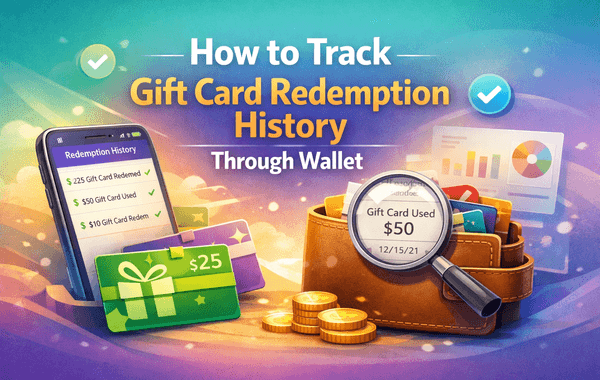
Keeping track of your digital spending is more important than ever—especially when using multiple gift cards for apps, subscriptions, or digital purchases. Many users often redeem gift cards and later wonder where their balance went or whether a specific code was applied. This is where knowing how to Track Gift Card Redemption through your Wallet app becomes essential.
Whether you’re using Apple Wallet or Google Wallet, the process is simpler than most people think. And if you're someone who frequently buys gift cards from trusted stores like Gyftwala, tracking your redemptions ensures that every purchase, offer, and discount is fully utilised.
In this guide, you’ll learn exactly how to Track Gift Card Redemption history, how Wallet apps record transaction details, and what to do if something doesn't appear correctly. Let’s get started.
Before jumping into the steps, it’s important to understand why tracking transactions is essential:
Many blogs skip this crucial reasoning, but understanding these points helps users stay vigilant and confident with digital top-ups.
Most top wallet ecosystems—such as Apple Wallet, Google Wallet, and brand-specific wallets—automatically record:
This ensures users always have a digital trail. However, many articles overlook explaining how this data syncs. Wallet apps fetch real-time information directly from your Apple ID, Google account, or store account—allowing you to Track Gift Card Redemption instantly without manually checking codes.
Apple makes it extremely convenient to view your credit balance and redemption history:
All gift card transactions linked to your account appear under your Apple ID balance.
This section displays all purchase records from the App Store, iTunes, Apple Books, and iCloud.
Here, you’ll find every redeemed Apple Gift Card, including date, time, and the credited amount.
This shows the total available balance, which includes redeemed gift card funds.
Most blogs miss this:
Apple does not directly show the gift card code you redeemed—only the amount. This is for security reasons. Your Wallet simply displays the transaction log.
This step-by-step clarity helps users track and organise spending accurately using Apple Wallet.
Google Wallet offers a similar way to check details, but in a more centralised view.
The app will list your added payment methods and gift card balance.
This shows recent Wallet transactions, including:
Under “Budget & History,” users can view:
Google Play also keeps older transaction logs easily accessible for long-term tracking.
Some gift cards (such as gaming or entertainment cards) use their own wallet systems. Examples include:
These internal wallets show:
This is especially useful for users who bulk buy gift cards during offers and discounts—something many shoppers do through Gyftwala, thanks to reliable top-ups and quick delivery.
Sometimes, records may not appear instantly. Here are common issues and solutions:
Wallet apps may take 1–3 minutes to sync with Apple, Google, or game servers.
Fix: Refresh, restart the app, or reconnect to Wi-Fi.
Many users unknowingly redeem a card using an alternative Apple ID or Google ID.
Fix: Verify which account was used during redemption.
A gift card purchased for another country might not display correctly in regional transaction logs.
Fix: Redeem gift cards for your own region only.
Outdated versions can fail to sync transaction history.
Fix: Update the Wallet or Play Store app.
If redemption shows unexpected usage, take action immediately.
Fix: Change your password and contact platform support.
Adding this troubleshooting section helps fill a major content gap in competitor blogs.
To ensure accurate tracking and avoid future confusion:
Users often overlook these simple practices, but they significantly improve security and financial clarity.
Most redemption issues arise from fake or invalid codes purchased from unreliable sellers. Gyftwala ensures:
This helps users easily Track Gift Card Redemption without worrying about invalid or risky codes.
Knowing how to Track Gift Card Redemption through Wallet apps empowers users to stay informed, avoid scams, organise spending, and maintain security. Whether you use Apple Wallet, Google Wallet, or gaming wallets, tracking your history should be a regular habit—especially if you frequently purchase digital gift cards.
And if you're looking for a safe, reliable platform to purchase digital gift cards at the best prices, Gyftwala is your trusted partner.
Visit Gyftwala.com today to buy authentic, region-compatible gift cards and enjoy fast delivery, exclusive discounts, and complete transaction transparency that makes tracking your redemption easier than ever.

Poppo Live Recharge Guide 2026: Get Bonus Coins, Save Money & Top Up Securely
The Ultimate Roblox & Robux Guide: Playing, Downloading, Pricing, and Gift Cards Explained

Best Online Games on Steam: Buy, Play & Save More

How To Start 1v1 Video Calls On Chamet

Marvel Rivals Lattices Top Up at 10% Discount
Digital or Physical Robux Gift Cards: Which One Should You Choose?

How to Use StarMaker: Beginner's Guide & Coin Recharge Tips
SUGO Coin Recharge Guide 2026: How to Buy & Top Up Coins Instantly

How to Get Cheap Chamet Diamonds in 2026 — Free Methods + Recharge Comparison

Buy Marvel Rivals Credits Online Cheap – Fast & Secure Top-Up
