Published on: Mon 06-Oct-2025 12:17 PM
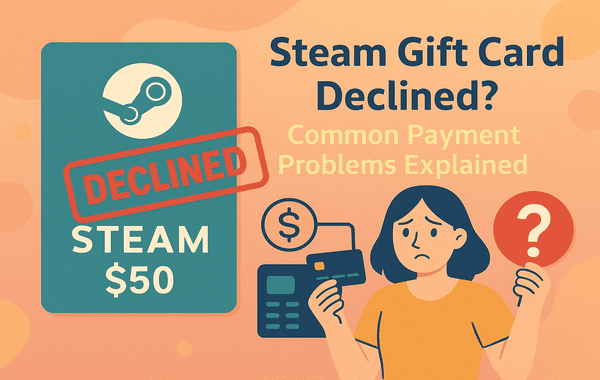
If you’ve ever tried to buy a Steam Gift Card online and faced a payment decline, you know how frustrating it can be. Whether it’s a gift for a friend, topping up your own account, or taking advantage of a discount, a declined transaction can throw off your plans. At Gyftwala, we understand that seamless transactions are key to enjoying your gaming experience. That’s why we’ve put together this comprehensive guide on why your Steam Gift Card may be declined and how to solve these issues, so you can get back to gaming without delay.
Payment issues with Steam Gift Cards are more common than many realise. The reasons can vary widely—from simple technical glitches to bank restrictions. Here’s a breakdown of the most frequent causes:
Entering incorrect billing information, card numbers, or CVV codes is a surprisingly common reason for declines. Even a small mismatch between your payment info and what your bank has on file can trigger a failed transaction.
Pro Tip: Double-check all fields before submitting your payment, especially if you’re making a bulk purchase of Steam Gift Cards.
Sometimes the simplest explanation is the right one. If your bank account or card balance isn’t enough to cover the purchase—including any applicable taxes or fees—the transaction will be declined.
Fact: Steam’s payment gateway may not always notify you immediately, leaving you puzzled as to why your Steam Gift Card didn’t go through.
Banks often flag transactions as suspicious if they come from unfamiliar websites, unusual locations, or large amounts. This is especially true when buying multiple Steam Gift Cards in one go.
Tip: Notify your bank beforehand if you plan to bulk buy Steam Gift Cards or use international payment methods.
A declined Steam Gift Card might not be a payment issue at all. Sometimes the card you are trying to redeem is expired, already used, or incorrectly entered.
Steam Gift Cards are region-locked. If you try to redeem a card purchased in a different country or currency, your payment may be declined.
Example: A card purchased in the US may not work in India. Always check the regional compatibility of your Steam Gift Card before buying.
High traffic, temporary server downtime, or glitches on Steam’s payment gateway can cause unexpected declines. While rare, these issues are usually resolved quickly.
Pro Tip: Wait a few minutes and retry the transaction, or contact Steam support if the problem persists.
Once you understand why a Steam Gift Card transaction might fail, it’s easier to resolve it. Here are actionable solutions:
Make sure your card number, expiration date, CVV, and billing address match exactly what your bank has on file. Even minor discrepancies can lead to a decline.
Ensure your card or account has sufficient funds to cover the full purchase, including any fees or taxes. If you’re topping up multiple accounts, consider splitting the transaction to avoid limits.
If your bank flagged your transaction, a quick call can often resolve the issue. Let them know you are making a legitimate purchase from a trusted platform like Gyftwala.
Double-check the card code and ensure it hasn’t been used already. Keep a record of your purchase receipt for reference in case of disputes.
Purchasing from verified websites like Gyftwala ensures your Steam Gift Card is legitimate, region-compatible, and supported by customer service if issues arise.
If the problem is due to server downtime or technical glitches, waiting a few minutes or hours before retrying can resolve the issue.
With years of experience in the e-gift card and top-up industry, Gyftwala ensures that your purchase of Steam Gift Cards is:
Choosing a trusted platform reduces the risk of declines and ensures a seamless gaming experience.
Getting your Steam Gift Card without the stress of declined payments has never been easier. Simply visit Gyftwala, select the card value, choose your payment method, and enjoy instant delivery.
Whether you’re looking for a single card, planning a bulk buy, or hunting for exclusive offers and discounts, Gyftwala is your go-to platform for hassle-free gaming top-ups. Don’t let declined transactions stop your fun—secure your Steam Gift Card today and keep gaming without interruptions!

How to Top Up Chamet Diamonds Instantly Without Errors

How to Use Poppo Live Coins Effectively: Gifting, VIP, Private Rooms & More

How to Use Google Play Gift Cards for YouTube Premium & Subscriptions

Ultimate Guide to Buying Nintendo eShop Vouchers From Trusted Sellers

How to Change Payment Methods During Poppo Recharge

How to Turn Roblox Gift Cards into Merchandise Deals

How to Stack Discounts for Poppo Live Coins on Multiple Platforms: The Ultimate 2025 Savings Guide
How to Top Up Nintendo eShop Wallet Without Regional Restrictions

How to Add Chamet Diamonds to Multiple Accounts at Once

In-Game Purchases Worth Redeeming Your Google Play Gift Card
