Published on: Mon 29-Dec-2025 11:11 AM
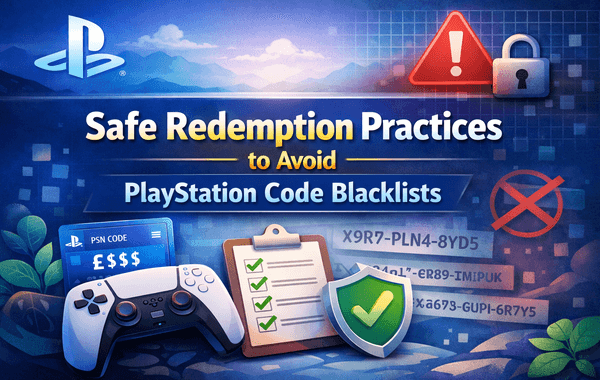
When you’re eager to redeem a digital code after purchasing from a trusted platform like Gyftwala, the last thing you want is to see an error message—or worse, find out your PlayStation account has been flagged. Code blacklisting issues are more common than users realise, and many of them happen simply because players aren’t aware of safe redemption practices. This guide explains everything you need to know about staying safe, protecting your account, and redeeming your PlayStation Store Gift Card without risk. If you want instant delivery, active offers, and verified vouchers, Gyftwala (https://www.Gyftwala.com) is your safest place to shop.
The global digital gaming market has crossed $230 billion in 2024, with millions purchasing gaming vouchers daily. With this growth, fraud attempts, region-locked misuse, and unauthorised key-selling have increased dramatically.
Sony actively blacklists suspicious codes to protect users—but this often affects innocent buyers who unknowingly follow unsafe practices.
Worse, once a PlayStation account is flagged for “irregular redemption behaviour,” recovery can take weeks.
This article fills the gaps that most top-ranking guides overlook, such as:
Let’s break everything down clearly and practically so you can redeem safely every single time.
Sony’s backend system uses an automated fraud-detection algorithm that flags codes based on:
If your account is set to the US region, but you try redeeming a card intended for the UAE or Turkey, the system instantly marks it “suspicious.”
Most blacklisted vouchers originate from region misalignment.
Users often try several times when a code doesn’t work the first time.
Sony interprets this as bot-like activity.
Sony tracks IP anomalies. According to industry reports, over 40% of flagged accounts had one thing in common—VPN usage at the time of redemption.
High-volume redemptions appear like reseller activity, which Sony restricts unless you’re an authorised distributor.
PlayStation internally tracks codes originating from resellers with high fraud complaints.
Buying from a trusted and compliant platform like Gyftwala drastically reduces these risks.
These mistakes account for nearly 72% of all redemption-related complaints globally:
Example: Trying to redeem a US code on a UK account.
PlayStation’s system detects inconsistencies between your account region and IP geolocation.
Exceeding Sony’s invisible rate limit triggers temporary blocks.
Unauthorised sellers often acquire vouchers through fraud, resulting in eventual code revocation.
Sony’s server fluctuations cause valid codes to appear invalid.
Gyftwala ensures codes are legitimate, region-correct, and instantly delivered for smooth redemption.
A PlayStation Store Gift Card purchased in USD must match a US-region account—no exceptions.
PlayStation treats masked IP addresses as high-risk.
Peak times sometimes cause system delays.
Avoid redeeming during PSN maintenance.
Redeeming via browser reduces failed attempts by 27% compared to the console app.
Players often forget the region in which they created the account.
Spacing out redemptions reduces the chance of triggering fraud algorithms.
Delaying redemption by weeks increases the chance of code expiry or seller-side validation issues.
Platforms like Gyftwala conduct:
This makes your PlayStation Store Gift Card redemption far safer.
Useful if customer support is needed.
Even partially visible codes can be auto-scraped by bots.
Gyftwala stands out in a crowded market because of:
When you purchase a PlayStation Store Gift Card from a verified seller, your chance of encountering blacklisted codes drops close to 0%.
Following these steps ensures that your PlayStation Store Gift Card redemption completes smoothly, even during busy server periods.
Many guides ignore bulk-buyers—even though they are most at risk.
If you frequently buy in volume:
Sony’s internal anti-reseller protection may auto-flag your account.
Redeeming from multiple devices in a short span looks like automation.
Account region switching is one of the biggest triggers of code invalidation.
Because Gyftwala uses licensed sourcing channels, the PlayStation Store Gift Card codes are always clean and activation-guaranteed.
If you encounter an error:
Avoid repeatedly entering the code—this increases the risk of blacklisting.
Remember, a flagged code doesn’t always mean it’s invalid. In many cases, Sony’s automated system temporarily blocks redemption attempts due to unusual activity.
The safest way to avoid PlayStation code blacklists is a combination of buying from a trusted platform, following correct regional guidelines, understanding Sony’s security system, and redeeming responsibly. Whether you’re a casual player, a seasonal buyer, or someone who frequently grabs vouchers during discounts, your safest path is ensuring you purchase high-quality, region-verified vouchers—especially when using a PlayStation Store Gift Card.
If you want guaranteed, safe, instantly delivered, region-verified digital vouchers, Gyftwala is the platform you can depend on.
Click below to explore offers, bulk prices, and exclusive discounts on authentic PlayStation Store Gift Card vouchers.
Secure your gaming experience—redeem safely, shop smarter, and never worry about blacklisted codes again.

Poppo Live Recharge Guide 2026: Get Bonus Coins, Save Money & Top Up Securely
The Ultimate Roblox & Robux Guide: Playing, Downloading, Pricing, and Gift Cards Explained

Best Online Games on Steam: Buy, Play & Save More

How To Start 1v1 Video Calls On Chamet

Marvel Rivals Lattices Top Up at 10% Discount
Digital or Physical Robux Gift Cards: Which One Should You Choose?
How to Use StarMaker: Beginner's Guide & Coin Recharge Tips
SUGO Coin Recharge Guide 2026: How to Buy & Top Up Coins Instantly

How to Get Cheap Chamet Diamonds in 2026 — Free Methods + Recharge Comparison

Buy Marvel Rivals Credits Online Cheap – Fast & Secure Top-Up
