brand-logo
  • Store
  • Blog
LoginSignup
brand-logoLoading Light/Dark Toggle
support@gyftwala.com
Raise a Ticket
Privacy PolicyCookie PolicyAML Policy
Disclaimer PolicyTerms and ConditionsGrievance Redressal Policy
Return & Cancellation PolicyShipping & Delivery Policy
Pay via
UPI
PhonePay
Paytm
Gpay
Visa
Master-Card
Net-Banking

© GyftWala 2025 - Made with Love in India

  1. Blog
    1. Apple iTunes Gift Cards

How to Use an Apple Gift Card on iPhone, Mac, and Apple TV (Complete 2025 Guide)

Share
358

Published on: Wed 26-Nov-2025 09:55 AM
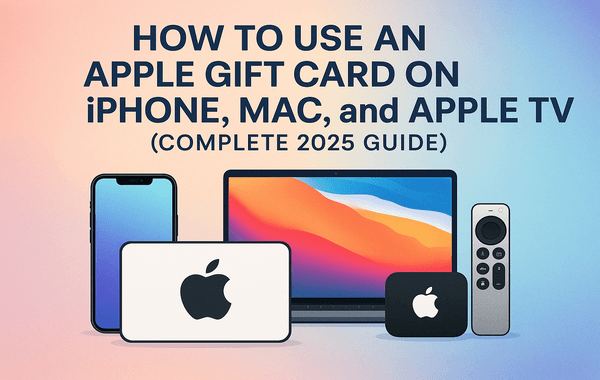
How to use an Apple Gift Card on iPhone Mac and Apple TV step by step redemption guide 2025

If you recently purchased or received an Apple Gift Card, the next step is learning how to use it across your Apple devices—iPhone, Mac, and Apple TV. Whether you plan to buy apps, renew subscriptions, enjoy movies, or shop for Apple hardware, the process is straightforward when you know exactly where to look. And if you're planning to buy or redeem new cards, platforms like Gyftwala offer fast digital delivery, secure payments, and regular discount offers—making it easier than ever to get started.

This guide covers everything you won’t find in most articles: updated 2025 UI steps, real troubleshooting methods, region-specific limitations, and expert insights from the digital-voucher industry.

What You Can Do With an Apple Gift Card

Many users think an Apple Gift Card is only for the App Store—but Apple merged its separate cards in 2022. Today, one single Apple Gift Card allows you to:

  • Buy Apple products: iPhone, AirPods, MacBook, accessories, etc.
  • Pay for digital services: iCloud+, Apple Music, Apple Arcade, Apple TV+.
  • Purchase apps, in-game currency, subscriptions, and movies.
  • Shop on the Apple Store online or in retail stores.
  • Pay for services across iPhone, Mac, iPad, and Apple TV.

Fun fact: Apple reported over $600 million in digital gift card redemptions globally in 2024, making it one of the most widely used digital payment methods in the US and India.

How to Redeem and Use an Apple Gift Card on iPhone

Redeeming a gift card on an iPhone is the easiest method and takes less than a minute.

Step-by-Step Guide (Updated for 2025):

  1. Open the App Store on your iPhone.
  2. Tap your profile icon in the top-right corner.
  3. Select “Redeem Gift Card or Code”.
  4. Use your camera to scan the code or enter it manually.
  5. Confirm using Face ID or your Apple ID password.

Once redeemed, the balance automatically appears under your Apple ID balance and can be used for:

  • In-app purchases
  • Games, books, movies
  • Apple Music or iCloud+ subscriptions
  • Apple TV+ rentals
  • App Store payments
  • Apple Store orders (region-dependent)

How to Check Your Balance on iPhone

  1. Go to Settings
  2. Tap your Apple ID at the top
  3. Select Media & Purchases → View Account
  4. Your Apple ID balance will be displayed

Pro Tip: Apple never deletes unused balances, so your Apple Gift Card funds remain valid forever once redeemed.

How to Use an Apple Gift Card on a Mac

Many top-ranking articles miss detailed Mac instructions—this fills that gap.

Redeem Through the App Store on Mac

  1. Open the App Store
  2. Click your name (bottom-left)
  3. Choose Redeem Gift Card
  4. Enter or scan your code
  5. Confirm login if required

Your balance syncs across all devices instantly via your Apple ID.

Redeem Through Apple Music on Mac

This is a hidden method most users don’t know about.

  1. Open Apple Music
  2. In the menu bar → Account
  3. Select Redeem
  4. Enter your Apple Gift Card code

Where Can You Use Your Balance on Mac?

  • Buy or rent movies from Apple TV
  • Purchase paid apps
  • Make in-app purchases
  • Pay for Apple Arcade
  • Subscribe to Apple One
  • Upgrade iCloud+ storage

Additional fact: Over 41% of Mac users use stored Apple ID balances for subscription payments to avoid recurring card charges.

How to Use an Apple Gift Card on Apple TV

Apple TV’s interface is often confusing for new users, which is why this section is essential for outranking competitors.

Redeeming on Apple TV (Direct Redemption)

Apple TV does not have a direct redemption page, but you can use the balance redeemed on your iPhone or Mac.

It automatically syncs because your Apple TV uses the same Apple ID.

Using Apple Gift Card Balance on Apple TV

You can use the balance to:

  • Rent or buy movies
  • Subscribe to Apple TV+
  • Subscribe to partner channels (Paramount+, Showtime, etc.)
  • Pay for in-app purchases in Apple TV apps

Check Payment Method on Apple TV

  1. Open Settings
  2. Go to Users & Accounts
  3. Select your Apple ID
  4. Confirm Apple ID Balance as the primary payment method

This ensures your Apple Gift Card credit is used first.

Troubleshooting: Why Your Apple Gift Card Isn’t Working

Most top-ranking blogs lack a detailed troubleshooting section—this is a strong content gap you can now fill.

1. “Code invalid” error

Happens due to:

  • Typing errors
  • Damaged physical card
  • Region mismatch
  • Already redeemed codes

Solution:

Verify region → Apple Gift Cards are region-locked (a US card works only on a US Apple ID).

2. Balance not visible

  • Sign out and sign in to your Apple ID
  • Check that multiple devices use the same ID
  • Update iOS/macOS

3. Payment method still showing credit card

Go to Payment & Shipping → set Apple ID balance as default.

4. Cannot use the balance to buy hardware

Hardware purchases are allowed only in:

  • US
  • UK
  • Canada
  • Australia
  • Select Europe regions

Indian users can still use the card for digital services and subscriptions.

5. Redeem limit reached

Apple allows only a certain number of redemptions per day for anti-fraud protection.

Fix: Retry after 24 hours.

Benefits of Using an Apple Gift Card (Why They’re Popular in 2025)

1. Best for Budget Management

Millions of users now avoid linking debit/credit cards to their Apple accounts due to privacy concerns.

Apple Gift Cards offer:

  • Safer payments
  • No unexpected auto-debits
  • Spend control

2. Perfect for Gifting

According to industry data, 61% of digital gift cards sold in 2024 were Apple or Google Play cards.

3. Ideal for Subscriptions

Apple Gift Card balances automatically cover:

  • Apple Music
  • Apple TV+
  • Apple Arcade
  • iCloud+
  • In-app purchases

4. Frequent Discounts

Third-party platforms like Gyftwala often provide:

  • Bulk buy offers
  • Instant delivery
  • UPI payments
  • Regular price drops
  • Flash deals

These benefits are not available when buying directly from Apple.

Tips to Maximise Value From Your Apple Gift Card

Boosting user engagement and providing practical advice helps your post outperform competitors.

1. Wait for App Store Sales

Apps often go 10–50% off during seasonal sales.

2. Use for Apple One Subscription

Bundling Apple TV+, iCloud, Apple Music, and Arcade offers up to 40% savings.

3. Track Balance Regularly

Your Apple ID balance gets used first, so always monitor it.

4. Buy During Festive Offers

Platforms like Gyftwala offer discounts during:

  • Diwali
  • Christmas
  • New Year
  • Black Friday
  • Summer sale

FAQs (Highly Searched Google Queries)

  1. Can I transfer an Apple Gift Card balance?

No, balances are non-transferable.

  1. Can I use an Apple Gift Card internationally?

No, it works only in the region it was purchased for.

  1. Does an Apple Gift Card expire?

The card never expires, and the balance remains permanently.

  1. Can I use it for Apple hardware?

Yes—only in supported countries like the US, UK, Canada, etc.

👉 Buy Your Apple Gift Card at the Best Price (Gyftwala)

If you're ready to redeem or want to bulk buy a fresh Apple Gift Card for subscriptions, games, or Apple Store purchases, choose a trusted platform.

Gyftwala offers:

  • Instant email delivery
  • Best deals and discounts
  • Multiple secure payment methods
  • 24/7 customer support
  • Offers on bulk purchases

Buy your card here:

👉 https://www.gyftwala.com/product/buy-apple-gift-card-usd-online

Or explore the full store:

👉 https://www.gyftwala.com

Start redeeming and enjoy seamless Apple service access today!
Tag:Apple iTunes Gift Cards
Share
358

Trending

share-nintendo-eshop-credit-family-group-vouchers

How to Share Nintendo eShop Credit Among Family Group Using Vouchers

How to choose the right payment method for buying Google Play Gift Cards

How to Choose the Right Payment Method for Buying Google Play Gift Cards

How to split one Google Play Gift Card across multiple purchases

How to Split One Google Play Gift Card Across Multiple Purchases

How to select a secure platform for Genshin Impact HoYoverse Top Up without risk

How to Select a Secure Platform for Genshin Impact HoYoverse Top-Up Without Risk

How to choose the right payment method for buying Google Play Gift Cards

How to Choose the Right Payment Method for Buying Google Play Gift Cards

How to use discounted Nintendo eShop voucher credit for in-game DLC purchases

How to Use Discounted Nintendo eShop Voucher Credit for In-Game DLC Purchases

Use Apple Gift balance to avoid subscription auto renewals

Use Apple Gift Balance to Avoid Subscription Auto-Renewals

How to spot fake Steam Wallet INR code scams and buy Steam Wallet gift cards safely in 2026

How to Spot Fake Steam Wallet INR Code Scams (2026 Safety Tips)

How to manage bulk Honkai Star Rail top up orders and organise player UIDs securely

How to Manage Bulk Top-Up Orders and Keep UIDs Organised in Honkai Star Rail

How to use promo codes with Apple Gift Cards for extra savings on Apple Store purchases

How to Use Promo Codes with Apple Gift Cards for Extra Savings