brand-logo
  • Store
  • Blog
LoginSignup
brand-logoLoading Light/Dark Toggle
support@gyftwala.com
Raise a Ticket
Privacy PolicyCookie PolicyAML Policy
Disclaimer PolicyTerms and ConditionsGrievance Redressal Policy
Return & Cancellation PolicyShipping & Delivery Policy
Pay via
UPI
PhonePay
Paytm
Gpay
Visa
Master-Card
Net-Banking

© GyftWala 2025 - Made with Love in India

  1. Blog
    1. Roblox gift card

How to Troubleshoot an “Invalid Code” on Roblox Gift Cards

Share
135

Published on: Wed 05-Nov-2025 07:48 AM
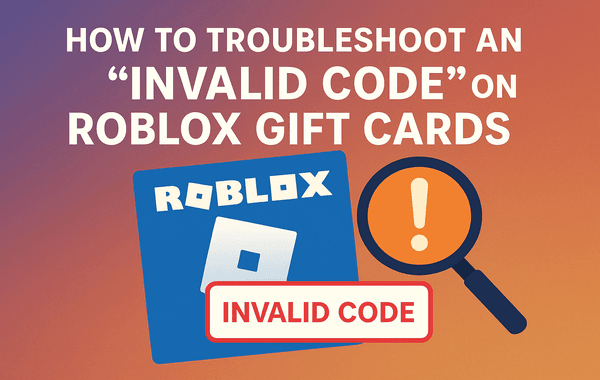
Illustration showing a Roblox gift card with a magnifying glass and a warning symbol highlighting how to fix or troubleshoot an Invalid Code error on Roblox gift cards

If you’ve ever tried redeeming your Roblox Gift Card and got hit with the dreaded “Invalid Code” message, you’re not alone. This common issue can leave users frustrated—especially when they’ve spent good money on the card. Fortunately, resolving this problem is easier than it seems. In this guide, we’ll explain why this error happens, how to fix it step by step, and how to prevent it in the future.

If you prefer a guaranteed and reliable way to purchase authentic Roblox Gift Cards, head over to Gyftwala—a trusted platform offering instant delivery, safe transactions, and region-specific cards at the best prices.

Understanding Roblox Gift Cards

Before diving into troubleshooting, it helps to understand how Roblox Gift Cards work. These prepaid cards let users redeem Robux (in-game currency) or Premium Memberships on the Roblox platform. Each card has a unique 16-digit alphanumeric code that must be entered correctly during redemption.

However, if this code fails, the system labels it as invalid, even if it’s legitimate. Why does that happen? Let’s look at the most common causes.

Common Reasons for the “Invalid Code” Error

  1. Incorrect Code Entry
  2. The simplest reason is typing mistakes—confusing letters like O with zero (0) or I with one (1). Roblox codes are case-sensitive, so entering even a single character incorrectly can cause an error.
  3. Unactivated Card
  4. Sometimes, retailers forget to activate the gift card at checkout. If your card was never activated, Roblox’s system won’t recognise it.
  5. Expired or Region-Locked Card
  6. While most Roblox Gift Cards don’t expire, region restrictions apply. A card purchased in the U.S., for example, might not work in India or other regions.
  7. Redeemed by Mistake
  8. If someone else has already redeemed your card (perhaps due to a misplaced or shared code), Roblox will flag it as invalid or used.
  9. Server or Connection Issues
  10. During peak hours or maintenance periods, Roblox’s servers can experience brief downtime, leading to temporary redemption failures.
  11. Damaged or Illegible Code
  12. Partially unreadable, scratched-off codes can trigger the error. This is especially common with physical cards.

Step-by-Step Guide to Fix an ‘Invalid Code’ on Roblox Gift Cards

Follow these verified troubleshooting steps before contacting support:

Step 1: Double-Check the Code

Carefully re-enter the redemption code exactly as it appears on your card. Avoid spaces or extra characters. If possible, copy and paste the code when redeeming online to reduce errors.

Step 2: Verify Activation

If your card was purchased in a retail store, visit or contact the store and ask whether the card was activated at checkout. Without activation, the code won’t work—even if it’s new.

Step 3: Confirm Region Compatibility

Go to Roblox’s official redemption page and ensure that the currency and card type match your country. Some cards, like U.S. versions, are restricted to specific servers. If you live in India, always buy Roblox Gift Cards labelled for the India region from trusted sites like Gyftwala.

Step 4: Try a Different Browser or Device

Sometimes, browser cache or temporary errors interfere with code submission. Try redeeming via another browser (like Chrome or Firefox) or a different device (PC or mobile).

Step 5: Check Roblox’s Server Status

Visit the official Roblox Status Page to see if the servers are down. If there’s maintenance underway, wait until it’s resolved and try again later.

Step 6: Redeem via Roblox’s Official Site

Always redeem directly at https://www.roblox.com/redeem. Avoid third-party or unofficial redemption portals—they may be phishing sites.

Step 7: Contact Roblox Support

If none of the above works, contact Roblox Customer Support. Provide:

  • The PIN code (partially obscured for safety)
  • Proof of purchase (receipt or email confirmation)
  • The retailer’s name and purchase date

Roblox may take up to 48–72 hours to verify and resolve your issue.

How to Prevent Roblox Gift Card Errors in the Future

Here are a few ways to ensure you never face an invalid code error again:

  • Buy Only from Authorised Sellers: Platforms like Gyftwala offer verified Roblox Gift Cards that are instantly activated and region-compatible.
  • Keep Your Receipts Safe: Always save your transaction ID or digital receipt; it’s required for verification if something goes wrong.
  • Avoid Sharing Codes: Treat your redemption code like cash—never share it through screenshots or messages.
  • Check the Region Before Purchase: Always confirm that the card supports your Roblox account’s region.
  • Redeem Immediately: Don’t hold onto codes for too long—redeem them as soon as possible to avoid losing them or mixing them up.

Real User Experience: How One Player Fixed It Fast

Many players in India report receiving the “Invalid Code” error even from genuine cards. In most cases, this was due to unactivated or mismatched region cards.

One user who bought a card from a non-authorised site waited days for support to respond. When they switched to Gyftwala, they received an instant email with a verified PIN, successfully redeemed within seconds.

This highlights the importance of using trusted and compliant platforms when buying digital cards online.

What to Do if the Code Still Doesn’t Work

If you’ve already confirmed activation and region compatibility, but your code still shows invalid:

  • Re-check that it hasn’t been accidentally redeemed under another Roblox account.
  • Try redeeming it on a different network to rule out connection filters.
  • If the code is damaged or partially visible, take a photo and send it to Roblox Support—they often assist with reconstructing missing characters if proof of purchase is valid.

Final Thoughts

An “Invalid Code” message doesn’t necessarily mean your Roblox Gift Card is useless. It’s usually caused by simple, fixable issues such as entry errors, activation problems, or regional mismatches. By following the steps above and buying only from legitimate platforms like Gyftwala, you can ensure a secure, hassle-free redemption every time.

Buy Roblox Gift Cards Safely on Gyftwala

Looking to avoid future invalid code errors?

Buy Verified Roblox Gift Cards Now

Get authentic, instantly delivered Roblox Gift Cards from Gyftwala—your reliable store for all digital gaming vouchers, top-ups, and gift cards. Enjoy exclusive discounts, instant delivery, and region-matched codes you can redeem without worry.

Tag:Roblox gift card
Share
135

Trending

Illustration of a woman tapping Redeem on a device screen beside a Roblox gift card showing how to redeem a Roblox card easily on any device

How to Redeem a Roblox Gift Card on Any Device—Without Hassle

Illustration showing a laptop with an error symbol coins and a magnifying glass representing how to recover coins after entering a mistyped user ID

How to Recover Coins if User ID Mistyped—What to Do Fast

Illustration featuring the Razer Gold logo and text about buying Razer Gold USD PINs online representing a complete guide for online purchases

Ultimate Guide to Buying Razer Gold USD PIN Online

Illustration of a hand holding a 2000 Steam gift card with shopping and payment icons in the background representing a step by step guide to redeem Steam gift cards in India

How to Redeem Steam Gift Cards in India: A Step-by-Step Guide

Illustration showing a Roblox gift card with a magnifying glass and a warning symbol highlighting how to fix or troubleshoot an Invalid Code error on Roblox gift cards

How to Troubleshoot an “Invalid Code” on Roblox Gift Cards

Illustration of a hand holding a Redeem button toward a phone displaying the StarMaker app logo symbolizing an instant global top up redemption process

Step-by-Step Guide: Redeem StarMaker Global Top-Up Instantly

Illustration showing a hand holding an Apple gift card with arrows pointing to multiple Apple ID icons representing how to split one Apple gift card among several accounts

How to Split One Apple Gift Card Among Multiple IDs

Woman holding a checklist and pencil beside a warning sign and Poppo Live logo promoting scam awareness for top up users

Scam Checklists for Poppo Live Top-Up Users

Illustration of Roblox gift cards labeled Extras with virtual coins and icons promoting where to buy deluxe bundled Roblox cards with added bonuses

Where to Buy Deluxe Bundled Roblox Cards with Extras

Illustration of PlayStation gift cards on a blue background with text asking if PlayStation gift cards expire and what to do about it

Do PlayStation Gift Cards Expire?