brand-logo
  • Store
  • Blog
LoginSignup
brand-logoLoading Light/Dark Toggle
support@gyftwala.com
Raise a Ticket
Privacy PolicyCookie PolicyAML Policy
Disclaimer PolicyTerms and ConditionsGrievance Redressal Policy
Return & Cancellation PolicyShipping & Delivery Policy
Pay via
UPI
PhonePay
Paytm
Gpay
Visa
Master-Card
Net-Banking

© GyftWala 2026 - Made with Love in India

  1. Blog
    1. Crunchyroll Global Vouchers

How to Cancel Auto-Renewal After Using a Crunchyroll Voucher

Share
804

Published on: Thu 04-Sep-2025 06:37 PM
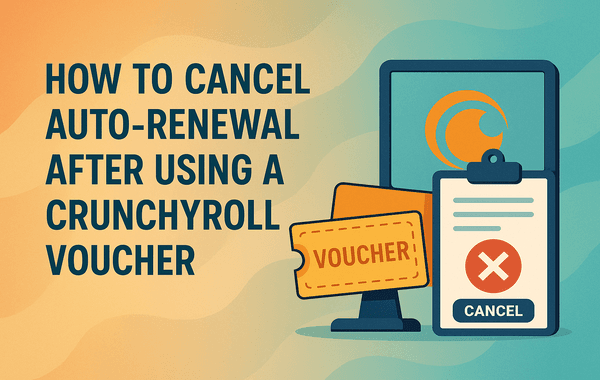
Cancel Auto Renewal After Using a Crunchyroll Voucher

Anime streaming has exploded in popularity worldwide, and Crunchyroll is at the centre of it with millions of active users and one of the largest anime libraries available. Many fans choose to subscribe using a Crunchyroll Voucher, which provides a simple, prepaid way to enjoy a premium membership without directly linking a credit card.

But here’s the catch: after redeeming a voucher, some users notice that Crunchyroll may still try to auto-renew using their backup payment methods. If you want to enjoy the voucher benefits without unexpected charges, it’s essential to know how to cancel auto-renewal properly. In this guide, we’ll walk you step by step through the process while also helping you understand the best way to manage your subscription.

If you’re looking for authentic Crunchyroll Vouchers with instant delivery, check out Gyftwala’s Crunchyroll Voucher collection.

Why People Use a Crunchyroll Voucher

Crunchyroll Vouchers have become popular for anime fans in India and worldwide because they:

  • Offer secure payments without needing credit/debit cards.
  • Allow gifting subscriptions easily to friends and family.
  • Provide instant access to ad-free anime streaming, simulcasts, and exclusive shows.
  • Make budgeting easier since you only pay for the duration you choose (1 month, 3 months, 12 months, etc.).

For many users, the voucher is a hassle-free option. However, one common challenge remains: managing auto-renewal after the voucher expires.

What Happens After Redeeming a Crunchyroll Voucher?

When you redeem a Crunchyroll Voucher:

  1. Your account is upgraded to premium for the duration of the voucher (e.g., 1 month, 3 months, or 12 months).
  2. If you previously added a payment method (like a card or PayPal), Crunchyroll may default to auto-renewal once the voucher ends.
  3. If no payment method is linked, the premium subscription will simply expire.

This is why cancelling auto-renewal is crucial—especially if you don’t want to be charged automatically once your voucher ends.

Step-by-Step Guide: How to Cancel Auto-Renewal on Crunchyroll

Here’s the exact process to ensure Crunchyroll doesn’t charge you after your voucher expires:

1. Log in to Your Crunchyroll Account

  • Go to Crunchyroll.com and log in with your credentials.

2. Access Your Account Settings

  • Click on your profile icon in the top-right corner.
  • Select “My Account” from the dropdown menu.

3. Navigate to Membership Settings

  • In the account section, find “Premium Membership Status.”
  • This page will show if auto-renewal is active and what payment method is on file.

4. Cancel the Auto-Renewal

  • Click “Cancel Membership” or “Cancel Auto-Renewal” (the wording may vary).
  • Confirm cancellation when prompted.

5. Double-Check Confirmation

  • You should see a message saying your membership will not renew after the current billing cycle ends.
  • If you used a Crunchyroll Voucher, your premium benefits will continue until the voucher duration ends, then stop unless you redeem another voucher or re-enable auto-renewal.

Pro Tips to Avoid Renewal Confusion

Many users don’t realise that Crunchyroll auto-renewal depends on whether a backup payment method is stored. Here are some useful tips:

  • Remove Stored Payment Methods: If you want total control, delete your saved card or PayPal from your Crunchyroll account.
  • Stack Vouchers: You can purchase and redeem multiple vouchers in advance (bulk buy). The time adds up, extending your subscription without linking a payment method.
  • Set Reminders: Note your subscription’s end date so you can plan the next voucher purchase.
  • Look for Offers and Discounts: Buying vouchers during sales on platforms like Gyftwala ensures you get a premium membership at the best price.

Common Issues Users Face

  1. Voucher Not Working: Sometimes a Crunchyroll Voucher may not redeem if it’s region-restricted. Always buy from trusted sellers like Gyftwala to avoid fake or invalid codes.
  2. Auto-Renewal Still Active: If cancellation doesn’t reflect, log out, clear cache, and re-check account settings. Contact Crunchyroll support if the problem persists.
  3. Refund Requests: Since vouchers are prepaid, refunds are generally not possible, making it even more important to manage your subscription settings.

Why Buy Crunchyroll Vouchers from Gyftwala?

Choosing where to purchase matters as much as how you use the voucher. Here’s why Gyftwala is the go-to choice:

  • Instant Digital Delivery – Get your voucher code within seconds.
  • Authenticity Guaranteed – 100% verified Crunchyroll Vouchers.
  • Flexible Denominations – From single-month subscriptions to yearly vouchers.
  • Bulk Buy Options – Perfect for gifting or long-term use.
  • Exclusive Offers & Discounts – Save more during seasonal promotions.
  • 24/7 Availability – Buy anytime without waiting for store hours.

Explore Crunchyroll Vouchers on Gyftwala.

Final Thoughts

Managing subscriptions doesn’t need to be complicated. Once you know how to cancel auto-renewal after using a Crunchyroll Voucher, you can enjoy premium anime streaming on your terms without worrying about surprise charges. Whether you’re a casual viewer or a hardcore anime fan, vouchers give you flexibility and control.

By purchasing from a reliable platform like Gyftwala, you not only secure authentic codes but also enjoy exclusive offers that maximise your value.

Buy Crunchyroll Vouchers Today on Gyftwala

Don’t wait until your subscription ends—plan! Buy authentic Crunchyroll Vouchers now from Gyftwala.com and enjoy instant access, bulk buy options, and exciting discounts.

Purchase a Crunchyroll Voucher here and stream your favourite anime without interruption.

Tag:Crunchyroll Global Vouchers
Share
804

Trending

Google Play Gift Card USD is used for instant top ups in mobile games and apps on Android devices

Google Play Gift Card (USD) Benefits: Instant Top-Ups Across Multiple Apps & Games

User is purchasing Chamet Diamonds top up online to send live gifts and improve ranking on the Chamet app

Chamet Diamonds Top-Up Guide: Boost Your Live Gifts and Ranking

Honkai Star Rail top up screen showing UID entry secure UPI payment methods instant recharge process and premium in game rewards for Indian gamers

Honkai Star Rail Top-Up FAQ: Common Questions on UID and Payments India

Google Play USD gift card with price comparison and UPI discount offers showing mobile payment digital wallet balance and gaming app purchases

Google Play (USD) Gift Card Best Deals: Compare Prices with UPI Discounts

Guide on how to top up Poppo Live Coins in under 5 minutes instantly

Everything About Poppo Live Coins (Global) Top-Up Rates and Safe Methods

Steam Wallet Gift Card used for purchasing PC games and DLC showing gaming library digital wallet balance and instant access to premium content

Steam Wallet Gift Cards Benefits: Unlimited PC Games and DLC Access

Moba Legends epic skins unlocked using diamonds top up showing premium skins in game currency purchase and enhanced gameplay visuals

Unlock Epic Skins: Benefits of Moba Legends Diamonds Top-Up in 2026

Chamet Live diamonds purchase using UPI showing mobile payment interface and video call feature in the app

How To Purchase Chamet Live Diamonds for Video Calls Via UPI

Genshin Impact top up using secure vouchers showing character unlocks primogems purchase and fast gameplay progression

Genshin Impact Top-Up Benefits: Faster Progression with Secure Vouchers

Genshin Impact resin refill using top up showing in game currency purchase and farming rewards screen

How To Use Genshin Impact Top-Up for Resin Refills