Published on: Mon 03-Nov-2025 11:48 AM
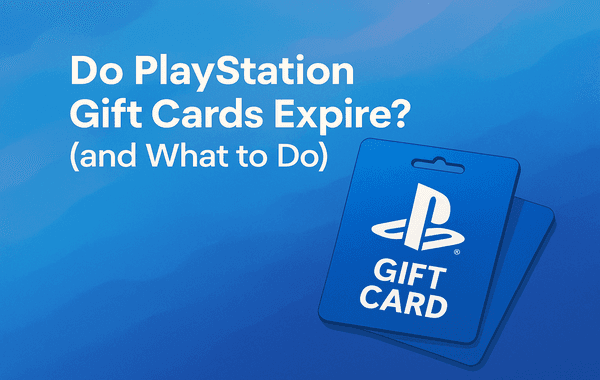
If you’re an avid gamer or someone who loves gifting digital entertainment, PlayStation Gift Cards are among the best ways to buy games, add-ons, and subscriptions without needing a credit card. But one question that often pops up for users is, “Do PlayStation Gift Cards expire?” Whether you’ve found an old card tucked away in your drawer or received one recently as a gift, understanding the expiry policy and what to do with inactive cards can save you from losing your balance.
In this guide, we’ll break down everything you need to know about PlayStation Gift Cards, their validity, how to redeem them safely, and the steps to take if your card isn’t working. If you’re looking to buy genuine PlayStation Gift Cards, visit Gyftwala — a trusted platform for quick, secure, and verified game top-ups.
Here’s the good news — PlayStation Gift Cards do not expire.
Sony clearly states that once a card is purchased and activated, it remains valid indefinitely. The only exception is after it has been redeemed to your PlayStation account. Once you’ve added the funds, your wallet balance is active as long as your PlayStation account remains in good standing.
This means you can buy PlayStation Gift Cards today, store them for later, and redeem them whenever you’re ready — even months or years down the line.
However, there are a few key points you should know:
So, while the cards themselves don’t expire, you still need to redeem them under the right conditions to avoid any issues.
Many users confuse gift card expiry with account or wallet inactivity. Some retailers or regional policies might give the impression that cards expire by imposing a limited redemption period after purchase.
For instance, in some countries, store receipts mention “valid for 12 months” — but this usually refers to the activation period (the time frame in which the retailer guarantees the card remains active if unused). Once redeemed, the funds in your PlayStation Wallet remain available indefinitely.
Another common reason for confusion is system errors or region mismatches. If your code doesn’t work, it’s often because it’s being redeemed in the wrong regional store (for example, trying to use a U.S. card on an Indian account).
If you’ve held onto your card for months (or even years), here’s what you should check:
If your card doesn’t work or shows an “invalid” error, don’t panic — it doesn’t mean it has expired. It could be due to:
Here’s what you can do:
If you’re a frequent PlayStation user or a bulk buyer, here’s how you can get more out of your cards:
Look for seasonal offers, festive sales, or promotional events on Gyftwala, where you can often find PlayStation Gift Cards available at discounted rates.
You can add multiple cards to your PlayStation Wallet and use the balance for major purchases like game bundles or PlayStation Plus subscriptions.
Certain regions may offer better pricing on games. Always purchase cards specific to your region for optimal savings.
Keep an eye on your wallet under “Payment Management” to ensure all your funds are available for future purchases.
Stick to verified sellers like Gyftwala to avoid counterfeit or unactivated cards. Unauthorised platforms often sell fake or stolen cards, which may get your PlayStation account flagged.
If you encounter an error during redemption, here are the step-by-step actions to take:
The idea that PlayStation Gift Cards expire is a common misconception. Once you’ve purchased and activated your card, your funds remain safe until you decide to use them. Whether you’re saving for the next big PlayStation exclusive or topping up your wallet for subscriptions, these cards offer a flexible and secure way to manage your gaming expenses.
So, if you’re looking to buy PlayStation Gift Cards online at the best prices, Gyftwala is your trusted destination. With instant delivery, verified activation, and frequent offers, it’s the go-to platform for gamers who value reliability and convenience.
If you haven’t yet redeemed your next PlayStation adventure, now’s the perfect time to stock up! Head over to Gyftwala.com to purchase PlayStation Gift Cards securely and instantly. Enjoy exclusive offers, quick delivery, and seamless activation — everything you need to keep your gaming journey uninterrupted.

Poppo Live Recharge Guide 2026: Get Bonus Coins, Save Money & Top Up Securely
The Ultimate Roblox & Robux Guide: Playing, Downloading, Pricing, and Gift Cards Explained

Best Online Games on Steam: Buy, Play & Save More

How To Start 1v1 Video Calls On Chamet

Marvel Rivals Lattices Top Up at 10% Discount
Digital or Physical Robux Gift Cards: Which One Should You Choose?

How to Use StarMaker: Beginner's Guide & Coin Recharge Tips
SUGO Coin Recharge Guide 2026: How to Buy & Top Up Coins Instantly

How to Get Cheap Chamet Diamonds in 2026 — Free Methods + Recharge Comparison

Buy Marvel Rivals Credits Online Cheap – Fast & Secure Top-Up
